Theming
Customize the appearance with custom titles, logos, and navigation buttons.
Features:
viser.theme.TitlebarConfigfor custom titlebar configurationviser.theme.TitlebarButtonfor navigation buttonsviser.theme.TitlebarImagefor custom logosBrand color customization and visual styling
Source: examples/02_gui/05_theming.py
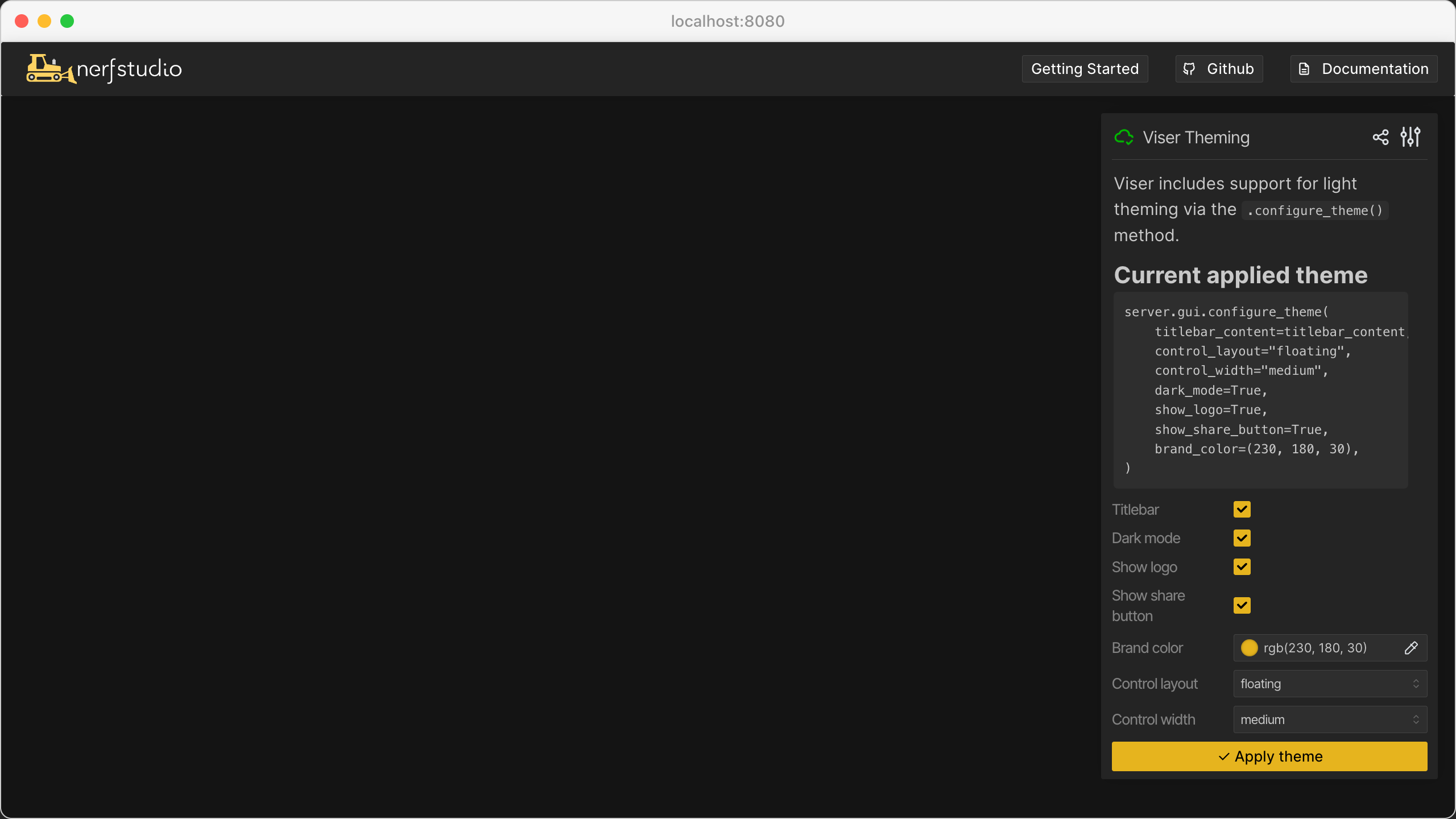
Code
 1import time
 2
 3import viser
 4from viser.theme import TitlebarButton, TitlebarConfig, TitlebarImage
 5
 6
 7def main():
 8    server = viser.ViserServer(label="Viser Theming")
 9
10    buttons = (
11        TitlebarButton(
12            text="Getting Started",
13            icon=None,
14            href="https://nerf.studio",
15        ),
16        TitlebarButton(
17            text="Github",
18            icon="GitHub",
19            href="https://github.com/nerfstudio-project/nerfstudio",
20        ),
21        TitlebarButton(
22            text="Documentation",
23            icon="Description",
24            href="https://docs.nerf.studio",
25        ),
26    )
27    image = TitlebarImage(
28        image_url_light="https://docs.nerf.studio/_static/imgs/logo.png",
29        image_url_dark="https://docs.nerf.studio/_static/imgs/logo-dark.png",
30        image_alt="NerfStudio Logo",
31        href="https://docs.nerf.studio/",
32    )
33    titlebar_theme = TitlebarConfig(buttons=buttons, image=image)
34
35    server.gui.add_markdown(
36        "Viser includes support for light theming via the `.configure_theme()` method."
37    )
38
39    gui_theme_code = server.gui.add_markdown("no theme applied yet")
40
41    # GUI elements for controllable values.
42    titlebar = server.gui.add_checkbox("Titlebar", initial_value=True)
43    dark_mode = server.gui.add_checkbox("Dark mode", initial_value=True)
44    show_logo = server.gui.add_checkbox("Show logo", initial_value=True)
45    show_share_button = server.gui.add_checkbox("Show share button", initial_value=True)
46    brand_color = server.gui.add_rgb("Brand color", (230, 180, 30))
47    control_width = server.gui.add_dropdown(
48        "Control width", ("small", "medium", "large"), initial_value="medium"
49    )
50    # Control-panel placement is now done with `main_panel` (the `control_layout`
51    # theme argument is deprecated). Dock the control panel to either edge, or
52    # leave it floating.
53    panel_dock = server.gui.add_dropdown(
54        "Control panel dock", ("floating", "left", "right")
55    )
56    synchronize = server.gui.add_button("Apply theme", icon=viser.Icon.CHECK)
57
58    def synchronize_theme() -> None:
59        server.gui.configure_theme(
60            titlebar_content=titlebar_theme if titlebar.value else None,
61            control_width=control_width.value,
62            dark_mode=dark_mode.value,
63            show_logo=show_logo.value,
64            show_share_button=show_share_button.value,
65            brand_color=brand_color.value,
66        )
67        if panel_dock.value == "left":
68            server.gui.main_panel.dock_left()
69            dock_code = "server.gui.main_panel.dock_left()"
70        elif panel_dock.value == "right":
71            server.gui.main_panel.dock_right()
72            dock_code = "server.gui.main_panel.dock_right()"
73        else:  # "floating"
74            # Negative coords are gaps from the far edge, so this floats the panel
75            # back to the top-right corner (its original spot).
76            server.gui.main_panel.float(x=-15, y=15)
77            dock_code = "server.gui.main_panel.float(x=-15, y=15)"
78        gui_theme_code.content = f"""
79            ### Current applied theme
80            ```
81            server.gui.configure_theme(
82                titlebar_content={"titlebar_content" if titlebar.value else None},
83                control_width="{control_width.value}",
84                dark_mode={dark_mode.value},
85                show_logo={show_logo.value},
86                show_share_button={show_share_button.value},
87                brand_color={brand_color.value},
88            )
89            {dock_code}
90            ```