Scene pointer events
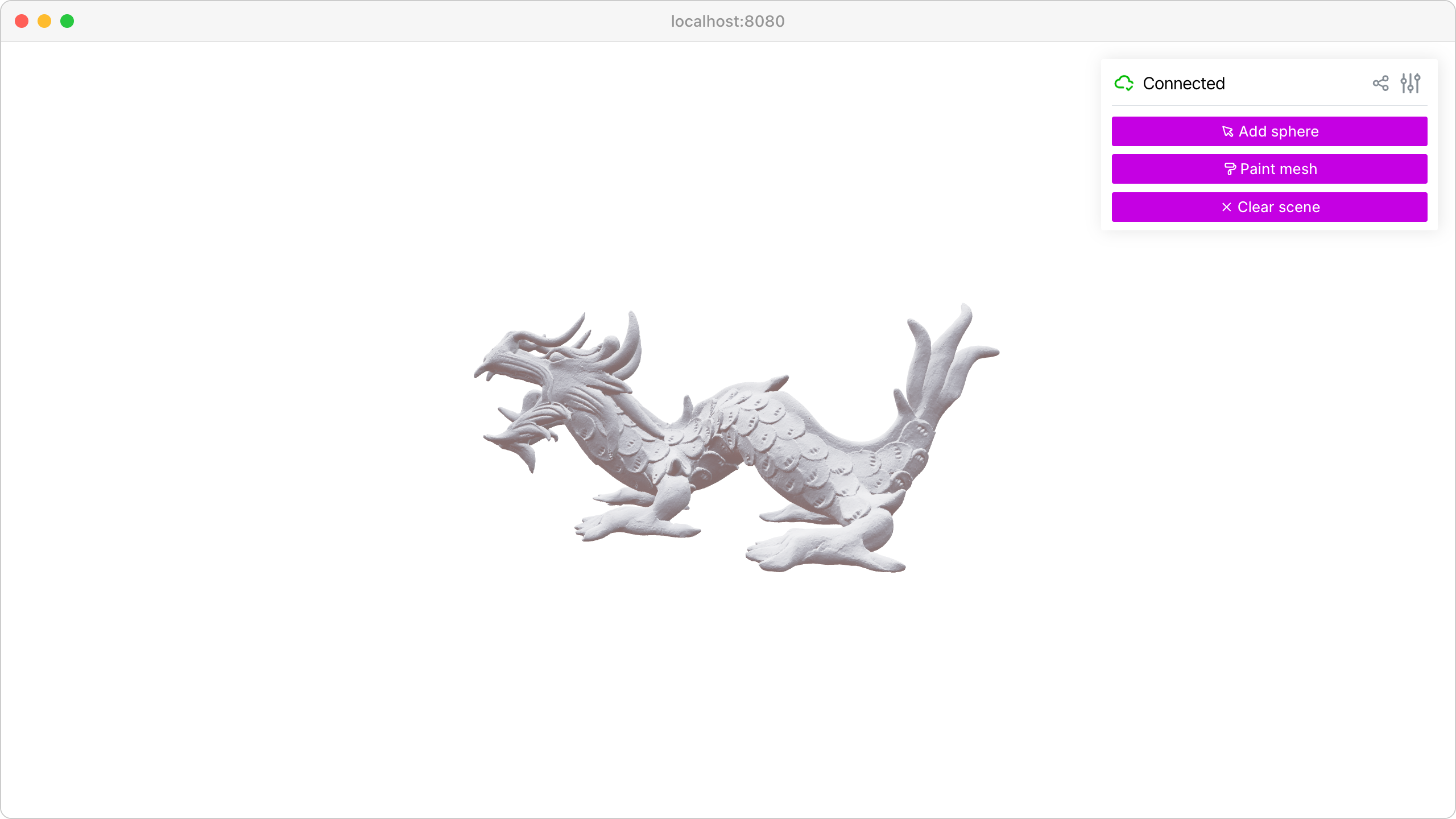
Capture mouse pointer events to create rays for 3D scene interaction and ray-mesh intersections.
Features:
viser.SceneApi.on_click()for click ray eventsviser.SceneApi.on_rect_select()for box-select drag eventsRay-mesh intersection calculations with trimesh
Dynamic mesh highlighting based on ray hits
Note
This example requires external assets. To download them, run:
git clone -b v1.1.1 https://github.com/viser-project/viser.git
cd viser/examples
./assets/download_assets.sh
python 03_interaction/01_scene_pointer.py  # With viser installed.
Source: examples/03_interaction/01_scene_pointer.py
Code
  1from __future__ import annotations
  2
  3import time
  4from pathlib import Path
  5from typing import cast
  6
  7import numpy as np
  8import trimesh
  9import trimesh.creation
 10import trimesh.ray
 11
 12import viser
 13import viser.transforms as tf
 14
 15
 16def main() -> None:
 17    server = viser.ViserServer()
 18    server.gui.configure_theme(brand_color=(130, 0, 150))
 19    server.scene.set_up_direction("+y")
 20    server.initial_camera.position = (0.0, 0.0, -10.0)
 21
 22    mesh = cast(
 23        trimesh.Trimesh,
 24        trimesh.load_mesh(str(Path(__file__).parent / "../assets/dragon.obj")),
 25    )
 26    mesh.apply_scale(0.05)
 27
 28    mesh_handle = server.scene.add_mesh_trimesh(
 29        name="/mesh",
 30        mesh=mesh,
 31        position=(0.0, 0.0, 0.0),
 32    )
 33
 34    hit_pos_handles: list[viser.GlbHandle] = []
 35
 36    # Buttons + callbacks will operate on a per-client basis, but will modify the global scene! :)
 37    @server.on_client_connect
 38    def _(client: viser.ClientHandle) -> None:
 39
 40        # Tests "click" scenepointerevent.
 41        click_button_handle = client.gui.add_button(
 42            "Add sphere", icon=viser.Icon.POINTER
 43        )
 44
 45        @click_button_handle.on_click
 46        def _(_):
 47            click_button_handle.disabled = True
 48
 49            @client.scene.on_click()
 50            def _(event: viser.SceneClickEvent) -> None:
 51                # Check for intersection with the mesh, using trimesh's ray-mesh intersection.
 52                # Note that mesh is in the mesh frame, so we need to transform the ray.
 53                R_world_mesh = tf.SO3(mesh_handle.wxyz)
 54                R_mesh_world = R_world_mesh.inverse()
 55                origin = (R_mesh_world @ np.array(event.ray_origin)).reshape(1, 3)
 56                direction = (R_mesh_world @ np.array(event.ray_direction)).reshape(1, 3)
 57                intersector = trimesh.ray.ray_triangle.RayMeshIntersector(mesh)
 58                hit_pos, _, _ = intersector.intersects_location(origin, direction)
 59
 60                if len(hit_pos) == 0:
 61                    return
 62                client.scene.remove_click_callback()
 63                click_button_handle.disabled = False
 64
 65                # Get the first hit position (based on distance from the ray origin).
 66                hit_pos = hit_pos[np.argmin(np.sum((hit_pos - origin) ** 2, axis=-1))]
 67
 68                # Create a sphere at the hit location.
 69                hit_pos_mesh = trimesh.creation.icosphere(radius=0.1)
 70                hit_pos_mesh.vertices += R_world_mesh @ hit_pos
 71                hit_pos_mesh.visual.vertex_colors = (0.5, 0.0, 0.7, 1.0)  # type: ignore
 72                hit_pos_handle = server.scene.add_mesh_trimesh(
 73                    name=f"/hit_pos_{len(hit_pos_handles)}", mesh=hit_pos_mesh
 74                )
 75                hit_pos_handles.append(hit_pos_handle)
 76
 77        # Tests "rect-select" scenepointerevent.
 78        paint_button_handle = client.gui.add_button("Paint mesh", icon=viser.Icon.PAINT)
 79
 80        @paint_button_handle.on_click
 81        def _(_):
 82            paint_button_handle.disabled = True
 83
 84            @client.scene.on_rect_select()
 85            def _(event: viser.SceneRectSelectEvent) -> None:
 86                client.scene.remove_rect_select_callback()
 87                paint_button_handle.disabled = False
 88
 89                nonlocal mesh_handle
 90                camera = event.client.camera
 91
 92                # Put the mesh in the camera frame.
 93                R_world_mesh = tf.SO3(mesh_handle.wxyz)
 94                R_mesh_world = R_world_mesh.inverse()
 95                R_camera_world = tf.SE3.from_rotation_and_translation(
 96                    tf.SO3(camera.wxyz), camera.position
 97                ).inverse()
 98                vertices = cast(np.ndarray, mesh.vertices)
 99                vertices = (R_mesh_world.as_matrix() @ vertices.T).T
100                vertices = (
101                    R_camera_world.as_matrix()
102                    @ np.hstack([vertices, np.ones((vertices.shape[0], 1))]).T
103                ).T[:, :3]
104
105                # Get the camera intrinsics, and project the vertices onto the image plane.
106                fov, aspect = camera.fov, camera.aspect
107                vertices_proj = vertices[:, :2] / vertices[:, 2].reshape(-1, 1)
108                vertices_proj /= np.tan(fov / 2)
109                vertices_proj[:, 0] /= aspect
110
111                # Move the origin to the upper-left corner, and scale to [0, 1].
112                # ... make sure to match the OpenCV's image coordinates!
113                vertices_proj = (1 + vertices_proj) / 2
114
115                # Select the vertices that lie inside the 2D selected box, once projected.
116                mask = (
117                    (vertices_proj > np.array(event.screen_min))
118                    & (vertices_proj < np.array(event.screen_max))
119                ).all(axis=1)[..., None]
120
121                # Update the mesh color based on whether the vertices are inside the box.
122                mesh.visual.vertex_colors = np.where(  # type: ignore
123                    mask, (0.5, 0.0, 0.7, 1.0), (0.9, 0.9, 0.9, 1.0)
124                )
125                mesh_handle = server.scene.add_mesh_trimesh(
126                    name="/mesh",
127                    mesh=mesh,
128                    position=(0.0, 0.0, 0.0),
129                )
130
131        # Button to clear spheres.
132        clear_button_handle = client.gui.add_button("Clear scene", icon=viser.Icon.X)
133
134        @clear_button_handle.on_click
135        def _(_):
136            nonlocal mesh_handle
137            for handle in hit_pos_handles:
138                handle.remove()
139            hit_pos_handles.clear()
140            mesh.visual.vertex_colors = (0.9, 0.9, 0.9, 1.0)  # type: ignore
141            mesh_handle = server.scene.add_mesh_trimesh(
142                name="/mesh",
143                mesh=mesh,
144                position=(0.0, 0.0, 0.0),
145            )
146
147    while True:
148        time.sleep(10.0)
149
150
151if __name__ == "__main__":
152    main()